
Two cores on one node
Each node runs Xray (VLESS, VMess, Trojan, Shadowsocks) and IPsec (IKEv2 or L2TP) side by side, so one server serves proxy and native VPN users.

bash -c "$(curl -fsSL https://raw.githubusercontent.com/javadtifusi-eng/Tifusi-Panel/main/install.sh)"Run it as root on Ubuntu or Debian. Append -- --pro for the Pro edition with MySQL.

The panel dashboard with live server gauges, activity and traffic. Names and addresses are placeholders.
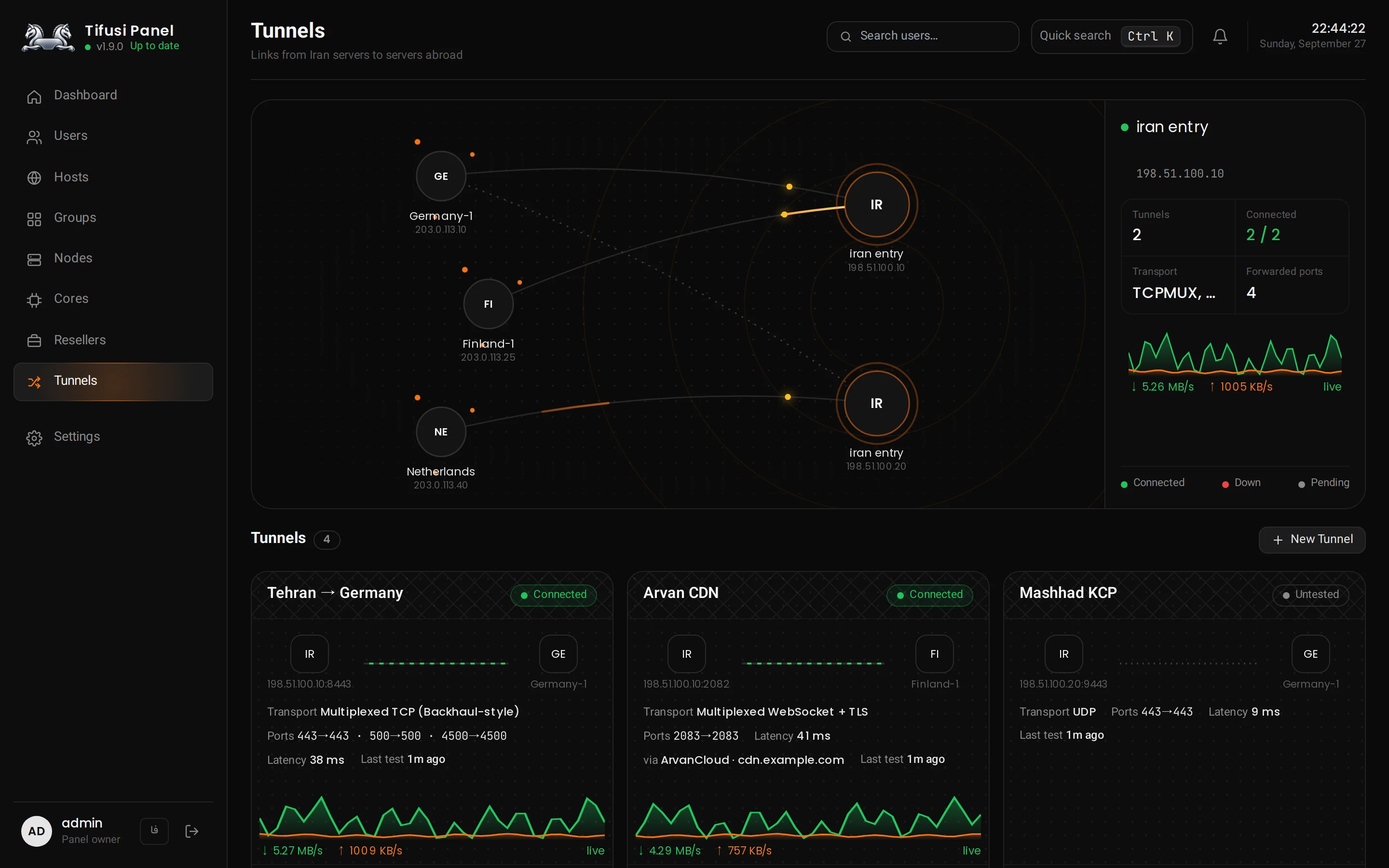
Every tunnel is re-tested every 15 seconds and its traffic graph updates each second.
Two cores on one node
Each node runs Xray (VLESS, VMess, Trojan, Shadowsocks) and IPsec (IKEv2 or L2TP) side by side, so one server serves proxy and native VPN users.
Iran-to-abroad tunnels
Multiplexed TCP, multiplexed WSS, UDP over KCP and a spoof tunnel. The foreign server dials out, so it needs no open inbound port.
Through ArvanCloud
Tunnels ride a CDN domain and survive the Iran IP being blocked. Clean-IP search, fronting SNI and a real speed test are built in.
Connection Shield
When an Iran relay gets blocked from abroad, users move to a standby relay in about two minutes, with no app update.
Device limits on the node
Concurrent Xray, IKEv2 and L2TP sessions are enforced on the node itself, not just counted in the panel.
Telegram bot and Android app
Sell subscriptions automatically with Tifusi Bot and connect with one tap in Tifusi VPN.
Install the panel with the command above.
Add a node. Create it on the Nodes page and run the command the panel gives you on the foreign server.
Build a tunnel. Pick the Iran and foreign servers on the Tunnels page and run each side’s install command. Full tunnels guide
Tifusi Panel’s code is public but not open source. You may install and use it for your own servers; copying, modifying, redistributing, rebranding or selling it without written permission is not allowed. License text